
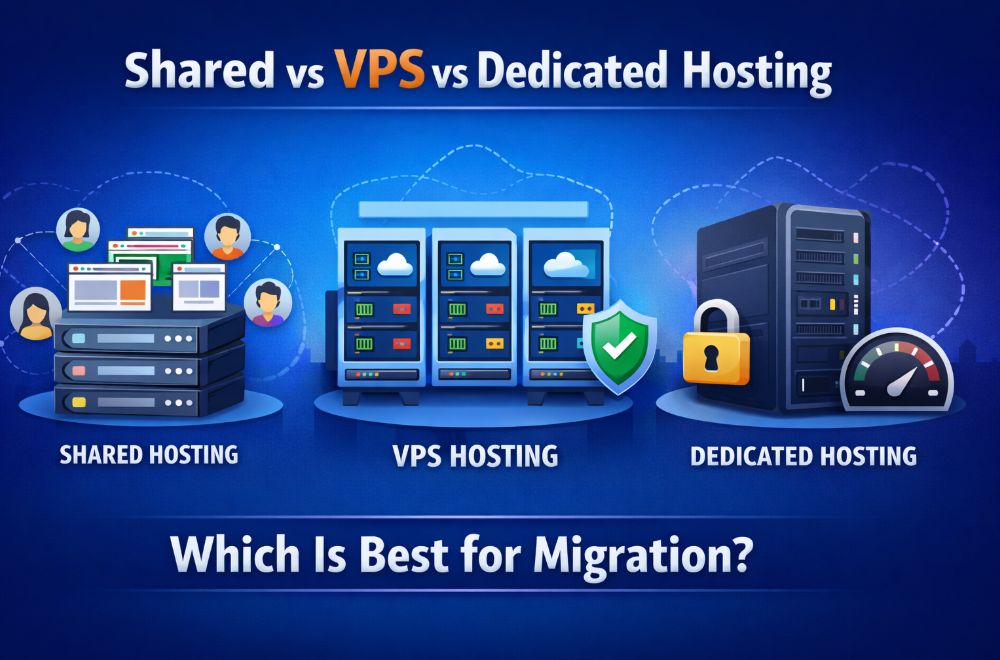
Selection of an ideal hosting environment is important when it comes to a website migration. A famous website migration tool named WP-1Click simplifies the process of transferring websites, but the choice of the type of hosting can greatly affect the levels of performance, reliability, and scalability. There is a lot of choice out there, with shared vs VPS vs dedicated hosting, there is no end of confusion. It can be difficult to know which one to implement when it comes to migrating. This paper is going to discuss each type of hosting separately, comparing their advantages, shortcomings, and the best possible applications.
Understanding Shared Hosting
Shared hosting is the simplest form of web hosting in which two or more websites share the same server resources such as CPU, RAM and storage. Small businesses, personal weblogs, and startups find this kind of hosting the most attractive because it is affordable and simple.
Advantages of Shared Hosting
- Cost-effective: It is generally the cheapest hosting option, making it ideal for beginners.
- Ease of use: Hosting providers handle server management, updates, and security patches.
- Quick setup: You can get your website up and running within minutes.
Limitations of Shared Hosting
Shared hosting comes with some notable drawbacks:
- Limited resources: Websites share the same server, which can affect performance if traffic spikes.
- Security risks: Vulnerabilities in one website may affect others on the same server.
- Limited scalability: Upgrading resources requires moving to a higher-tier plan or a different hosting type.
Ideal Use Case
Shared hosting is best suited for websites with low to moderate traffic, small blogs, or small business websites that are not resource-intensive.
Understanding VPS Hosting
VPS (Virtual Private Server) hosting offers a middle ground between shared and dedicated hosting. A physical server is divided into multiple virtual servers, giving each user a dedicated portion of resources.
Advantages of VPS Hosting
- Improved performance: Unlike shared hosting, VPS users have guaranteed resources, resulting in better speed and reliability.
- Greater control: VPS hosting usually comes with root access, allowing you to configure the server to meet your needs.
- Enhanced security: Virtualization isolates your website from others, reducing potential security risks.
Limitations of VPS Hosting
- Higher cost than shared hosting: VPS is more expensive, though still cheaper than dedicated hosting.
- Technical knowledge required: Managing a VPS server often requires more technical expertise.
- Maintenance responsibility: While managed VPS plans exist, unmanaged plans require you to handle updates and troubleshooting.
Ideal Use Case
VPS hosting is perfect for growing businesses, eCommerce websites, or projects that require higher performance, more control, and improved security compared to shared hosting.
Understanding Dedicated Hosting
Dedicated hosting provides an entire server exclusively for your website. This means all CPU, RAM, and storage are reserved for your website, providing maximum performance and control.
Advantages of Dedicated Hosting
- Maximum performance: Your website benefits from the full server capacity.
- Complete control: You can configure server settings, install custom software, and optimize resources for your specific needs.
- Enhanced security: Since the server is not shared, risks from other websites are eliminated.
Limitations of Dedicated Hosting
- High cost: Dedicated servers are the most expensive hosting option, often suitable only for large businesses or high-traffic websites.
- Technical expertise required: Server management, updates, and security are your responsibility unless you opt for managed services.
- Resource-intensive: Setting up and maintaining a dedicated server requires time and effort.
Ideal Use Case
Dedicated hosting is ideal for large enterprises, high-traffic websites, or applications requiring extensive resources and full control over the server environment.
Key Differences Between Hosting Types
To make migration decisions easier, the following table summarizes the main differences between shared, VPS, and dedicated hosting:
| Feature | Shared Hosting | VPS Hosting | Dedicated Hosting |
| Cost | Low | Medium | High |
| Performance | Limited, depends on traffic | High, dedicated resources | Maximum, the entire server is dedicated |
| Control | Minimal | Moderate to high | Full control |
| Security | Shared risk | Better isolation | Highest security |
| Scalability | Limited | Good | Excellent |
| Technical Knowledge | Low | Medium | High |
| Ideal For | Small websites, blogs | Growing businesses, eCommerce | Large enterprises, high-traffic sites |
Choosing the Best Hosting for Migration
Selecting the right hosting for migration depends on several factors: traffic, website complexity, budget, and future growth plans.
- Small websites or blogs: Shared hosting is cost-effective and easy to manage but may struggle with high traffic.
- Growing websites or eCommerce stores: VPS hosting offers a balance of performance, control, and affordability, making it ideal for sites expecting increased traffic or needing more resources.
- High-traffic websites or large enterprises: Dedicated hosting ensures maximum performance and security, handling large volumes of traffic without compromising reliability.
In planning your migration, we suggest that you use a BPA Software Comparison to compare hosting providers according to the uptime, performance and migration support. The perfect analysis will provide an easy transition and reduce downtime during the move.
Final Thoughts
Website migration is a crucial process, and selecting the appropriate hosting environment is essential to the success of your website. Shared hosting is suitable for small sites, whereas VPS hosting offers scalability and performance to expanding websites. Dedicated hosting is an expensive system, but it provides unparalleled control and reliability to any large-scale project. For those who have not yet decided, it would save you the trouble of shopping around among providers. To illustrate, a step-by-step comparison of Hostinger vs Bluehost will assist you in selecting a provider that will satisfy your technical and budgetary needs and facilitate the process of migration.
Leave a Reply